Showing posts with label apps. Show all posts

Thursday, August 30, 2012

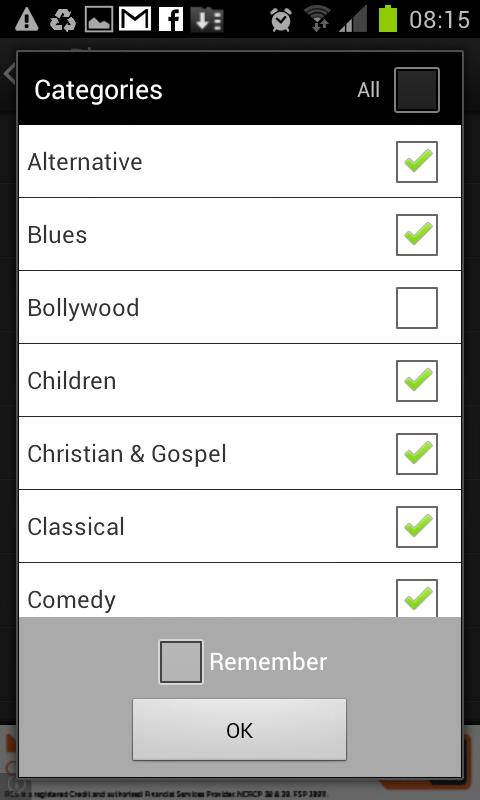
Free Ringtones, SMS Notifications and Wallpapers with Zedge

Back in the day when I still had my Sony Ericsson phone, I used to visit the Zedge website to get themes and stuff like that for it. Ahh fond memories hehe...

I have seen the Zedge app in the Play store a couple of times, but never really bothered to check it out, but this morning I decided to download it and see what they have, and I was not disappointed.

I now have a new ringtone that sound exactly like the theme song for the very awesome Game of Thrones!!

Also got a bitchin new wallpaper or two, and I just scratched the surface! Here are a few screen shots:


You can not only get ringtones, but also regular wallpapers, live wallpapers, notification alerts and even some games.

If you like customizing your phone with sounds and stuff like that, this app looks like the perfect one stop shop to satisfy your uncontrollable need to change your ringtone and/or wallpaper on a daily basis :)

Get it here

Wednesday, August 29, 2012

My top 5 daily used Android apps

I decided to make a post to show which apps I tend to use on an almost daily basis.

1. Whatsapp

If you don't know what Whatsapp is, then you're missing out - it's a free messenger, which allows you to send IM's (instant messages) to any of your contacts who also has the app installed. The nice thing though, is that you get Whatsapp on different platforms as well, for example Android, iOS, Blackberry, Nokia and Windows Mobile 7 and up.

Not only very handy for quickly, and best of all, CHEAPLY (uses only a little bit of data), sending messages to anyone, you can also send photos and videos, and, if your phone has a GPS, your exact location at that time, which the recipient can open on their maps app.

If I were to get a new phone, this would pretty much be the first app I install!

Get it here

2. Steam

I like playing games on my PC, and one of my favourite things on my PC is Steam - it's a game delivery platform, through which you can legally buy games, which you can then download and play. The best part of Steam is that they have constant specials on various games. Plus there's the yearly Steam Summer Sale, which tend cost me too much money every time!

Steam on Android is basically just a mobile version of the desktop app (though you can obviously not play your games on your phone...), so you can quickly see what's on sale when you're out and about, chat with your friends on steam and all kinds of stuff like that.

As you can see below, Homefront is on sale for less 75% - I've never played the game, but I'm very tempted to actually buy it! $5 for a mainstream game like that sure is a bargain in anyone's book!


You can get Steam here

3. Tweetdeck

I used to like using Tweetcaster, but I wasn't that fond of viewing tweets of the people I follow on that. Then I did some searching, and discovered Tweetdeck. I now use this everyday to see what the people are saying. The other nice part about it is I've linked my Facebook feed to it as well, so I can view both of those updates on the one platform :)


The blue posts in the bottom screenshot are Facebook updates.

Only thing I'm not that fond of with this app is to tweet to certain people isn't very easy, I remember in Tweetcaster when you use the # or @ symbols it opens up a list of people you can choose to tweet to. Other than that, to stay up to date on what's going on in my Twitter stream, this is the app I prefer.

A last thing I want to add, it loads ALL the people you follow's tweets in the list, so if you are following lots of people, and you haven't checked it in a few days, it can take quite some time to scroll up to the latest tweets :)

Get it here

4. News24

This will probably only be for South Africans, since it's our biggest local news website's accompanying app. It has basically the exact same articles as the website, although you cannot view and make the comments on the articles, which isn't a bad thing. Most people tend to just share hate on any article.

I also find myself not liking to use this app, since the news is 98% of the time something bad, but I keep coming back for more to see what's going on in South Africa, and the rest of the world...


A very straightforward app, which does exactly what it is supposed to. Share all the bad news :(

Anyway, get it here

5. Google Chrome Browser

Last but not least, Chrome is probably my favourite new feature of the ICS update a few months back. It's Google's own browser, and boy does it just work!

As you saw above, I use Tweetdeck to stay up to date with my Twitter account, and a lot of the people I follow tend to post links to website, tapping on them always opens the link up in Chrome, and I haven't had a single issue on any website where I couldn't read the text or something like that.

If you are one of the lucky ones to have upgraded to Chrome, then this is a total must to replace the stock browser.

Get it here

To conclude this post, I'd like to invite you to post your favourite daily used apps below in the comments section, I am forever finding myself on the Google Play store to check out what's new on the market.

(sorry that I disabled Anonymous commenting, I was just getting too many spam comments!)

Just for Fun: Zombiebooth

Ok, this is not the most useful app out there, but a fun thing to fiddle around with anyway...

Ever wanted to see how you would look if you were a zombie? Get Zombiebooth, take a picture of yourself, and the app will turn you into you. Not just a still photo either, you move around, make zombie sounds and when you touch the screen, your zombie self will start munching on your finger!


Very pretty hey? Shaking the phone generates a different zombie, and you can take a photo with the app itself, or select an existing photo on your phone.

Yup, useless indeed, but fun to show to your friends :)

Get it here

Game Review: Dungeon Village

Hi guys, it's been quite a long time since I posted something, so I decided to get right back to it again. A few weeks ago I was a bit bored, and decided to give Dungeon Village a try, luckily they have a demo version available as well.

A while back, I did a review on Game Dev Story, and Dungeon Village is made by the same developer. You can almost immediately see the similarity on how the game looks and so on.

After playing it for about 10 minutes, I just couldn't resist and bought the full version.

Here are a few screen shots:


These are just some of the many things that can happen in the game.

You are basically the mayor of a small town, and adventurers come to your town to fight monsters, level up and spend gold.

There are so many aspects to this game, I find it hard to decide on where to begin.

When you start, you only have a handful of buildings, and almost immediately an adventurer wanders into your little town to come and check it out. They wander into the wilderness on a regular basis, and fights with the various kinds of monsters the game features. As they win battles, they level up, making them stronger, and increasing their satisfaction and stuff like that.

Every time they kill a monster, you get some more money to spend on new buildings and items.

Then all of a sudden a quest pops up, and you can, for a fee, recruit some adventurers to go on this quest. It might be something like old ruins they go and explore, or a monster mob just outside your town walls that they must defeat.

If one of your adventurers succumb, they don't die permanently, but slowly regain their health, after which they'll fight on. While recovering, if another adventurer happens to walk past, he will pick up his fallen comrade and take him back to the inn, where he can recuperate a lot quicker.

While on a quest, a bar at the bottom of the screen appears, which represents the linear path of the quest. On the bar you'll find chests that contain loot, as well as monsters that need to be defeated before carrying on. It's as simple as that!

The loot can be given to your adventurers as presents (boosting their stats and satisfaction), or even to your buildings to increase their appeal, how much they charge and the quality of their wares. Even the buildings can level up, they simply need to get a certain amount of visits from your adventurers!

As you go about managing all this, your town will increase in popularity, which in turn will attract more adventurers. Eventually, if your adventurers are satisfied enough in your town, they'll request for you to build them a house, and you can start earning taxes from them!

Later on you can hold events as well, which either boosts stats of your people, or popularity of the town. Every now and then you'll even get to fight against a boss, which not only gives lots of experience to those who take part in the battle, but also a nice big pile of gold! You even get medals that you can award your people at the end of each year, boosting their stats even more.

Now, I've already written quite a lot above, but this is barely touching what this game is all about! It has a very similar feel to Game Dev Story, but that is definitely not a bad thing. I'm glad I paid the $4.99 for it, it was money well spent!

Get the demo, or Lite version here

Or buy the full version (which you'll do after playing the Lite version) here

Till next time (I promise it will be quicker this time!)

Saturday, May 5, 2012

Browser Review: Dolphin Browser HD

In my post about the standard browser for the Galaxy S2, I mentioned that I didn't find much fault with it for browsing the internet every now and again, but if you use your phone to browse more often, then it might be worth your while to look at something a bit different.

I found Dolphin, which I find very nice to use and powerful indeed, plus it includes some nice features, like the gesture system and voice recognition.

Here are a few screen shots of it in action:


The one nice feature I like about Dolphin above the standard browser is that when you zoom in by double tapping (you can pinch-zoom also), is that it zooms in close enough for you to actually be able to read the text, but it also re-positions the text so that it fits in, so you only have to scroll down and not sideways.

The website in the above screen shots doesn't have a mobile version, and as you can see, it displays it pretty much exactly the same as on a PC (see that website here).

This works even better when you hold the phone horizontally:


The slider on this specific website works with jQuery, and that works exactly like it should on the mobile browser :)

The Dolphin browser does also play nicely with Flash content, so that should be an issue ;)

Another nice feature I like is the options it gives you when you close it:


Handy if you don't have that much free space on your phone (like me with all the games and stuff I've installed).

It has too many different settings to even mention, the best advice regarding that I can give you is to actually download it (it's free after all) and check them all out.

Some of the features it also has is smart gestures (where you draw a shape on the screen to do stuff, like open a new tab for example), but in my books that's just a gimmick and I personally won't be using that. The same can be said for the voice recognition, but it allows you to say, for example "ebay silver teaspoons", then it'll open up Ebay and search for Silver Teaspoons.

Then last but not least:


Yes... it has TABS (one thing amiss in the regular browser) - so it actually looks like a normal PC browser, which is cool ;)

Anyway, the Dolphin browser is an awesome alternative in my opinion to the regular browser that comes standard with the phone.

Get it here.

Till next time!

Friday, April 27, 2012

The default Galaxy S2 Browser

Ok, first off, I'm terribly sorry for not doing any posts in April so far. Those who're from South Africa, will know that in April we have lots of public holidays, and even regular work has been slow (the same pretty much every year!).

So, I asked in a poll what you guys would like me to review next, and you selected Browsers. So, I'm going to be doing 3 separate reviews on the following browsers:

Now, I've been pretty much using the standard browser on my S2, and I must say, I'm pretty much happy with it. It doesn't have issues displaying the sites I like to frequent, and I've even done some online banking with the regular "desktop interface" of my bank's website (that will be the same interface that desktop PC's will have when doing online banking).

In fact, it works so nicely with that that I don't even bother to register for cellphone banking at all, I can just do it with my regular browser!

Here are a couple of screen shots of the standard browser in action:


Since the Galaxy S2 screen still isn't the size of a tablet or regular PC, what happens when you browse is the address bar get hidden from sight. To see the address is easy though, you simply swipe down, and there it is.

One thing that I'm not that fond of though, is you have to "press" the bottom left button on the phone itself, and the tap "windows", which opens up the list of open windows you have:


When I do the review of Dolphin, you'll see how they handle that.

Other than that, I couldn't find fault with the default browser. It handles Flash, SSL and has a whole bunch of settings also, here're the list of settings available for it:


As you can see, lots of settings so that you can tweak how it functions for you.

Zooming in can be done in 3 ways - you can double tap somewhere, and the browser zooms in on that part. If it is text your double tapping on, then it will fill that text to the screen width. Sometimes, if the website you're viewing doesn't have a mobile friendly stylesheet, then the text will still be too small to actually read it.

You can zoom in manually by pinch-zooming also, but like I said above here, the text doesn't fit in the area you're viewing automatically, so you'll have to scroll sideways to view the content when zoomed in.

Another funky way of zooming, which in my opinion is just a gimmick, is you tap two fingers on the screen at the same time, then you tilt the phone itself - this will then zoom as you're tilting the phone. I find that only cool for showing off the phone :)

So, in my opinion, if you don't use your phone for all of your internet browsing needs, then the stock standard browser does the job, with its few minor annoyances. 

If you do, however, use your phone a lot more for browsing, then I'd recommend getting something else... I'll be looking at Dolphin next, as well as Opera Mini.

Keep well, and until next time!

Thursday, March 15, 2012

App review: Pixlr-o-matic Photo editor

The other day I was browsing the app market, which they've renamed to the "Play Store", and I saw this little gem of an app called Pixlr-o-matic, and best of all it's a free one!

Usually I don't have high hopes for free apps like this, but I thought I'd give it a go anyway.

What it basically does is it edits your photos, by doing a combination of three effects, namely a colouring effect, lighting effect and a frame effect.

Then you can save and share your photos with ease from within the app itself. Anyway, when you open the app, here's what you'll see first:


From here you select which photo to start working on. This can either come from your phone's camera, be one of your existing photos, or as you can see, they have some of their own photos there that you can use to play around with.

Once you've selected the photo you want to work on, you get to this screen:


Here you'll be presented with several buttons and things. In the middle you'll see the photo I selected to edit, which as you can see is a bit of a boring one...

At the top there's a little film roll Icon - if you tap on that, you can get access to a lot more presets and options, all for free - I went crazy, and downloaded everything :)


Next to the film roll icon is the randomize button. That does just that, it randomizes the 3 different effects you can get. So if you're lazy, you can just hit that one a couple of times until you get to a combination you like. Here I quickly set a preset for each of the three options:

On the first preset, I selected "Dean" which gives the photo a washed out look, almost like a photo taken in the 60's :)

Here on the Lighting option I selected "Gaze", which gives it this red streak in the middle, giving it an even more classic and washed out look.


And here I added the "Dirt" frame, which as you can see, puts a dark edge with dust specks and stuff like that around the image.

So in a matter of seconds, I transformed a pretty dull photo into something a bit more lively :) Obviously you can save your photo as well - the app gives each image a unique file, so you don't have to worry about it overwriting the original.


From here you can Save your photo and share it.

I'm very impressed with how quick and easy it is to use this app, and most of the effects are really cool (of course there's some corny ones as well, but sometimes that's actually the look you're going for!)

As a little test and just to show you, I took two images and made 5 randomized versions. Here they are, the one at the top is the original:


Pretty neat huh? And here's a photo of Einstein (our mutt :)


Not too shabby for just hitting a button a few times.

If you like photos at all, then this is definitely a must to get.

Get it here.

Till next time!

Tuesday, March 13, 2012

Full Screen Status Bar

If you regularly use apps that go full screen on your Android phone, you would have noticed that you cannot get access to the status bar (you know, the thing you swipe down from the top to get?) - but, I've found a very handy little app that allows you to get to your status bar while in a full screen app (think GAMES :)

Here's a screen shot of it in action:


See, here in the Freeplay Sims game, at the top you'll see my status bar peeking out. A very handy little app.

Anyway, it's called Smart Statusbar, and you can get it here

Till next time!

Friday, February 24, 2012

Game Review: Minecraft Pocket Edition

If you don't know what Minecraft is, chances are you've only started using the internet this very second. :)

Minecraft is the Indie game that took the world by storm. It's a big sandbox game where you can shape the world to your exact liking. Add to that the harvesting of resources and building stuff (anything from a small log cabin in the woods to deep underground mines and glorious works of art!), as well as zombies and sheep, and you've got a pretty amazing and addictive game!

People will complain about the blockiness of the graphics, but that is what gives this game so much charm and personality! It just shows you, a games doesn't necessarily need awesome and high detailed graphics to be awesome!


Now, the pocket edition is a work in progress, much like the desktop version was for so very long. As you can see in the above screen shot, we're on version 0.2.0 alpha. So at this stage, it's not even close to what the desktop version is, but it's definitely getting there!

I bought the game for $0.10 when Android had there massive app download drive, but you can still buy it for $6.99 - a little steep for my liking (very happy that I got it for ten cents!), but I foresee great things for this little gem in the mining (see what I did there?? Gem? Mining? Minecraft??? ;P

Luckily, a demo version is available, so you can get that to first check it out.

Get the full version here

And the demo version here

So, at this stage the game has two modes - Creative and Survival. Creative mode just gives you this big, randomly generated world which you can sculpt to your exact liking, where the Survival mode adds a few things, like gathering some resources, and fending of zombies at night!

Here is my little house by the sea, which I started when the game was still version 0.1.0 (no survival mode back then):


In the second screen shot, I'm actually flying (something you can only do in creative mode) - you'll also see the on-screen controls on the left. The button in the middle is to jump - double tap that one to fly.

I must say, the game's performance on my Galaxy S2 is extremely smooth and without drops in frames per second at all. It does take some getting used to using the onscreen controls like that. Looking around is done by tapping and moving your finger across the screen. If you tap an hold in one spot, you'll start digging that specific block if it's close enough.

Here's a few from my little house's "porch" :)


The survival mode introduces a few extra things, most notably zombies that want to do nothing but eat your brains. So the first thing you always do in a Survival game is build a shelter, so that you can survive the night's horrors!


As you can see in the above screenshot, I made my little shelter by digging out a cave in the side of a hill. I recommend doing that because it's quicker.

You'll also notice the health bar, so in Survival mode you can die! EEK! ;)

Furthermore, you can start gathering some resources, with which you can only build at this stage. In the desktop version, you can craft all kinds of stuff, like weapons, doors, furniture, traps, etc. I'm sure these will be added to the game as new versions get released! (Hopefully!)

With this version you have a limited range of blocks that you can place, but I'm sure this list will also keep growing as time goes by:


As you can see, you have an unlimited supply of most of the blocks and items, but some of them you have to gather in your adventures.

I was lucky and survived my first night :) I did face a few zombies, but that wasn't too hard:


Anyway, this is a really good little time waster, and the promise of more updates to expand the features of the game means it'll keep on getting better and better. (I'll keep everyone posted on the updates as they happen!)

One thing I haven't tried out though, is joining some friends in a multiplayer game. If you have, feel free to leave some comments on how that is! Also, if you've build a masterpiece, and would like it to be featured on this blog, please let me know, I'd love to show off some of your hard work here :D

Time to go build a basement for my house! (will post some screen shots of that later!)

Till next time!